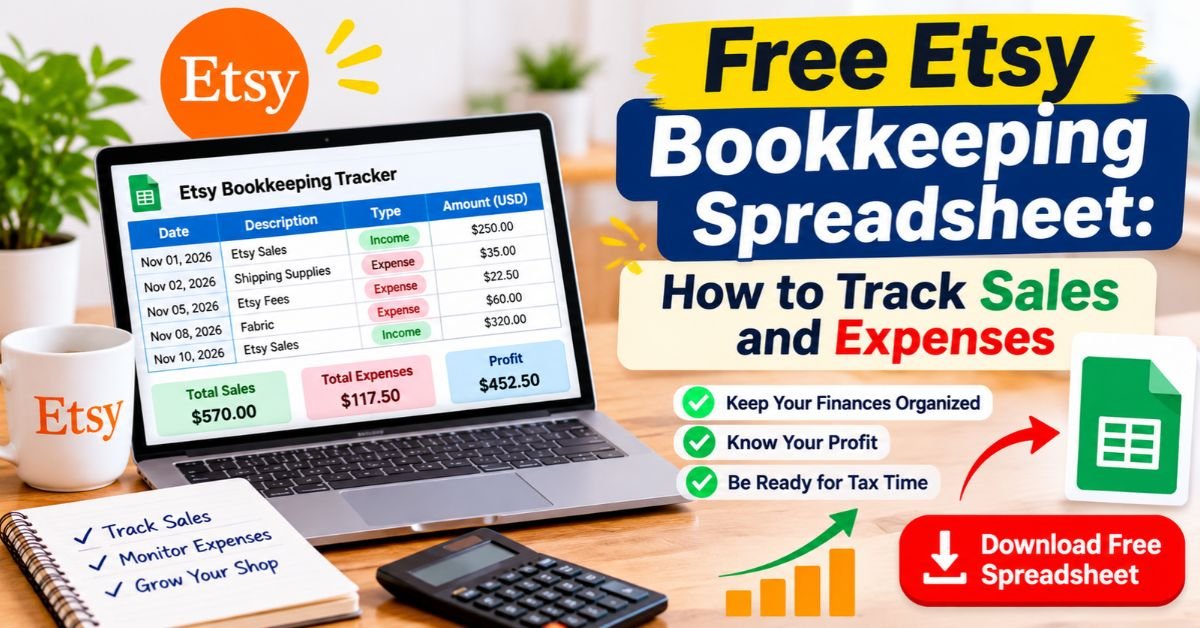
Free Etsy Bookkeeping Spreadsheet: How to Track Sales and Expenses
November 16, 2026
Written By team taxnookly
Our goal is to provide reliable, helpful, and up-to-date content based on practical tax and bookkeeping principles.
Running an Etsy shop is exciting. Whether you sell handmade jewelry, personalized gifts, vintage finds, printable planners, or digital downloads, growing your business means keeping an eye on more than just sales.
You also need to know how much Etsy charges in fees, what you spend on materials, how much shipping costs, and how much money your shop actually earns.
That’s where a free Etsy bookkeeping spreadsheet can make a real difference.
Instead of paying for expensive accounting software, you can use Google Sheets or Microsoft Excel to organize your shop’s financial records. A simple spreadsheet allows you to track income, record business expenses, monitor Etsy fees, and prepare useful financial summaries throughout the year.
The best part? You can customize it to match the way your Etsy business operates.
Quick Answer:
A free Etsy bookkeeping spreadsheet helps you track sales revenue, refunds, Etsy fees, shipping expenses, inventory costs, and other business expenses in one place. You can create your own tracker using Google Sheets or Excel, update it monthly, and use the records to prepare for tax season. Keeping your transactions organized throughout the year makes it easier to understand your shop’s profitability and identify where your money is going.
Why Every Etsy Seller Needs a Bookkeeping Spreadsheet
When you’re getting your first few Etsy orders, keeping track of money might seem simple. You can probably remember what you sold, what supplies you purchased, and how much Etsy deducted from your payments.
But as your shop grows, those details become harder to manage.
You might have several orders in one day, different Etsy fees, occasional refunds, advertising expenses, and supply purchases from multiple stores. Without a consistent recordkeeping system, it’s easy to overlook expenses or misunderstand how much profit you’ve actually made.
Your Etsy dashboard is useful for reviewing shop activity, but it shouldn’t be your only financial record. It does not replace a complete record of expenses you pay outside Etsy, such as craft materials, business software, packaging supplies, or other operating costs.
A dedicated bookkeeping spreadsheet gives you a clearer picture of your business finances.
A spreadsheet is a useful starting point, but it works best as part of a complete recordkeeping routine. For a broader look at organizing your sales, expenses, receipts, and business finances, read our complete Etsy bookkeeping guide for small sellers.
Here are a few reasons to use one:
See your actual profit: Compare sales revenue with fees, materials, shipping, and other business expenses.
Keep expenses organized: Record purchases from Etsy and outside suppliers in separate categories.
Prepare for tax season: Keep the financial information and supporting documents you may need when preparing your tax return.
Understand business performance: Identify expensive products, rising costs, and changes in monthly revenue.
Avoid unnecessary subscriptions: Use free spreadsheet tools instead of paying for accounting software before your business needs it.
A spreadsheet is particularly useful for small Etsy shops that want more control over their records without adding another monthly business expense.
What to Include in a Free Etsy Bookkeeping Spreadsheet
A useful Etsy bookkeeping spreadsheet should be easy to understand and detailed enough to capture your everyday business transactions.
You don’t need dozens of complicated accounting categories. Start with the information that matters most to your shop.
Here are the main categories worth including.
1. Sales and Income
Record every order so you can see how much your shop generates before Etsy deducts its fees.
Useful columns include:
Date of sale
Order number
Product name
Item selling price
Shipping charged to the customer
Discounts
Refunds
Sales tax collected by Etsy, where applicable
Keep buyer sales tax separate from your sales revenue when Etsy collects and remits that tax on your behalf under applicable marketplace facilitator rules.
Also, don’t confuse your Etsy deposit with your actual sales revenue. Deposits may already reflect fees, refunds, and other deductions.
2. Etsy Fees
Selling on Etsy comes with several platform-related costs. Recording these separately helps you understand how much you’re paying to operate your shop.
Depending on your account and location, you may encounter:
Listing and renewal fees
Transaction fees
Etsy Payments processing fees
Offsite Ads fees
Etsy Ads charges
Subscription fees
Regulatory operating fees, where applicable
Etsy displays these amounts in your Payment account. You can use its monthly statements to review the breakdown rather than estimating your fees from your sales total.
3. Cost of Goods Sold (COGS)
Cost of Goods Sold refers to the costs associated with products you actually sell.
For a handmade Etsy shop, this might include:
Fabric and thread
Clay and glaze
Beads and jewelry components
Wood and other crafting materials
Product components purchased from suppliers
Relevant manufacturing costs
For example, if you sell handmade candles, the wax, fragrance, and containers used to produce the candles contribute to their production costs.
Digital product sellers may have a different cost structure. They might track commercially licensed assets, relevant production costs, and business software separately.
One important point: don’t automatically deduct every inventory purchase as an expense and then count the same amount again as COGS. Inventory accounting depends on your accounting method and applicable tax rules.
4. Shipping and Packaging Expenses
Shipping expenses deserve their own category because they can significantly affect your profit.
Track costs such as:
Shipping labels purchased through Etsy
Postage purchased from other providers
Mailing boxes
Bubble wrap
Protective packaging
Shipping envelopes
Packing tape and labels
Keep customer shipping payments separate from what you actually spend on postage.
For example, a customer might pay $6 for shipping, while the label costs you $5. Those amounts should appear separately in your records.
5. Other Business Expenses
Your Etsy business may have additional expenses that aren’t directly related to making or shipping products.
Examples include:
Etsy advertising
Website hosting
Design software
Business-related subscriptions
Office supplies
Professional services
Eligible business travel expenses
Only include expenses that are genuinely related to running your business. For U.S. federal tax purposes, deductible business expenses generally need to meet the IRS requirements for ordinary and necessary business expenses.
How to Set Up Your Free Etsy Bookkeeping Spreadsheet
You don’t need accounting experience to create a basic bookkeeping tracker. Google Sheets and Microsoft Excel both offer practical ways to organize your financial information.
For a simple setup, create a workbook with separate tabs for your different records.
Step 1: Create Your Spreadsheet
Open Google Sheets or Microsoft Excel and create a blank workbook.
Give it a clear name, such as:
Etsy Shop Bookkeeping Tracker 2026
Create the following tabs:
Sales Tracker
Etsy Fees
Business Expenses
Inventory and COGS
Monthly Summary
This structure keeps your records organized and makes it easier to review specific transactions later.
Step 2: Build Your Sales Tracker
Start with a sales sheet containing these columns:
Date
Order ID
Product
Item Revenue
Shipping Collected
Discounts
Refunds
Nov 2
1001
Handmade Mug
$35
$5
$0
$0
Nov 5
1002
Ceramic Bowl
$45
$6
$5
$0
Nov 9
1003
Clay Planter
$30
$5
$0
$10
These are illustrative figures, not actual Etsy transactions.
You can calculate the net sales for each order using:
This gives you a consistent starting point for calculating your shop’s revenue before deducting operating costs.
Keep any marketplace sales tax that Etsy collects and remits in a separate reference column rather than automatically counting it as your business income.
Step 3: Record Etsy Fees Separately
Create another tab for Etsy-related charges.
Include the transaction date, order number, fee category, and amount.
For example:
Date
Fee Category
Description
Amount
Nov 2
Listing Fee
Product listing
$0.20
Nov 2
Transaction Fee
Order 1001
$2.60
Nov 2
Processing Fee
Payment processing
$1.50
Nov 5
Advertising
Etsy Ads
$4.00
These are sample entries. Your actual fees will depend on your location, transaction, advertising activity, and applicable Etsy policies.
Recording the fees separately is important because Etsy generally deducts applicable charges from your shop balance before depositing the remaining funds.
Step 4: Add Your Business Expenses
Next, create a tab for expenses that you pay outside Etsy.
Use columns such as:
Date
Category
Description
Amount
Nov 3
Materials
Clay and glaze
$40
Nov 6
Packaging
Shipping boxes
$15
Nov 8
Software
Design subscription
$12
Nov 10
Postage
Shipping labels
$18
Keep your receipts, invoices, and payment confirmations with these entries.
A spreadsheet records the transaction, but the supporting documents help demonstrate what you purchased and how much you paid.
Step 5: Create a Monthly Summary
The monthly summary is where your separate records become useful.
At the end of each month, bring together:
Net sales
Etsy fees
Shipping and postage expenses
Cost of goods sold
Other business expenses
Estimated operating profit
A basic formula for your monthly profit estimate is:
Estimated Profit = Net Sales – Etsy Fees – Shipping Costs – COGS – Other Business Expenses
You can use spreadsheet formulas such as SUM to calculate totals automatically.
For example, a monthly sales total could use:
=SUM(D2:D100)
Adjust the cell range to match your actual spreadsheet.
Once your workbook is organized, you won’t need to calculate every figure manually.
Etsy Bookkeeping Example: Calculate Your Monthly Profit
Let’s look at a simple example to understand how the numbers work.
Imagine you run a small handmade pottery shop. During November, your business generates $500 in item revenue and customer-paid shipping, excluding sales tax collected and remitted by Etsy.
Your business records show the following:
Financial Activity
Amount
Net Sales
$500
Etsy Selling Fees
$40
Shipping Labels and Postage
$20
Materials Used in Products Sold
$120
Other Expenses
$0
Estimated Profit
$320
The calculation is:
$500 – $40 – $20 – $120 = $320
Your estimated profit for this simplified example is $320.
This example assumes the $120 in materials relates to products sold during the period and that there are no additional inventory adjustments or other expenses.
In actual bookkeeping, inventory purchases and COGS may need to be treated differently depending on your accounting method and year-end inventory position. Avoid counting the same material cost twice.
The goal of this exercise is to show why recording sales, fees, shipping, and production costs separately matters.
A shop with $500 in sales doesn’t necessarily have $500 in profit.
How to Download Etsy Financial Reports and Use Them in Your Spreadsheet
You don’t have to enter every Etsy transaction from memory.
Etsy allows sellers to download different types of financial information as CSV files. These files can be opened in Google Sheets, Microsoft Excel, and other spreadsheet applications.
To download your order information:
Sign in to your Etsy account.
Open Shop Manager.
Select Settings.
Choose Options.
Open the Download Data tab.
Find the Orders section.
Select the CSV type, month, and year you need.
Click Download CSV.
You can download information about orders, order items, Etsy Payments sales, and Etsy Payments deposits.
Etsy also provides monthly statements that help you review sales, fees, refunds, and other payment account activity.
After downloading the relevant reports, import the files into your bookkeeping workbook. Check the figures before adding them to your monthly summary, and avoid recording the same transaction twice.
A useful habit is to keep your original CSV files in a separate folder organized by month and year.
Monthly Etsy Bookkeeping Checklist
You don’t need to spend hours every week managing your shop’s finances. A regular monthly review can help keep your records accurate.
Set aside some time at the end of each month to complete these tasks.
1. Download Etsy reports
Save the monthly statements and relevant CSV reports from your Shop Manager.
2. Review your sales
Check your orders, discounts, shipping income, and refunds.
3. Check Etsy fees
Record listing fees, transaction fees, payment processing costs, advertising charges, and other applicable deductions.
4. Update business expenses
Add purchases from suppliers, postage providers, software companies, and other business-related vendors.
5. Review inventory
Update your inventory records and identify the materials or products remaining at the end of the period.
6. Reconcile your payments
Compare your Etsy payment records with the deposits appearing in your bank or payment account. Remember that Etsy deposits may represent sales after fees, refunds, reserves, and other adjustments.
7. Back up your records
Save a copy of the updated spreadsheet, receipts, and original financial statements.
Following this routine makes it easier to catch missing transactions before they become bigger problems.
Frequently Asked Questions About Etsy Bookkeeping
Do I need a separate bank account for my Etsy shop?
A separate business bank account is a good idea because it keeps your personal and business transactions organized.
It also makes it easier to identify Etsy deposits, supplier payments, advertising charges, and other business expenses.
Whether a separate account is legally required depends on your business structure and applicable banking rules. However, keeping business finances separate is a useful recordkeeping practice.
Can I use Google Sheets for Etsy bookkeeping?
Yes. Google Sheets is a practical free option for small Etsy businesses.
You can create separate tabs for sales, fees, expenses, and inventory. You can also use formulas to calculate monthly totals and estimated profits.
Another advantage is that your spreadsheet can be accessed from different devices and backed up through your Google account.
How do I track Etsy fees in my bookkeeping spreadsheet?
Open your Etsy Payment account and review the monthly statements.
Record each applicable fee under a separate category, such as listing fees, transaction fees, payment processing, Offsite Ads, and Etsy Ads.
Keep shipping-label purchases separate from platform selling fees so you can understand how much you spend on each part of your business.
Does Etsy automatically handle sales tax?
In certain jurisdictions, Etsy collects and remits sales tax under marketplace facilitator laws.
For example, Etsy automatically handles qualifying U.S. state sales tax transactions where applicable laws require it.
However, tax obligations vary by location and transaction type. Sellers may still have other registration, reporting, or tax responsibilities. Review Etsy’s current sales tax guidance and your local tax authority’s requirements.
Do I need bookkeeping software if I sell only a few products?
Not necessarily.
A basic spreadsheet may be sufficient for a small shop with relatively few transactions, provided you maintain accurate and complete records.
As your order volume increases, you may eventually benefit from dedicated bookkeeping software with automated transaction imports and financial reports.
What is the difference between Etsy revenue and Etsy profit?
Before subtracting business costs, revenue is the amount your business earns from sales.
Profit is what remains after accounting for relevant expenses, including Etsy fees, production costs, shipping, and other operating expenses.
For example, if your net sales are $500 and your total business costs are $180, your estimated profit is $320.
How long should I keep Etsy bookkeeping records?
For U.S. tax purposes, the IRS generally requires you to retain records for as long as they may be needed to support the income or deductions reported on your tax return.
The exact retention period depends on the type of record and your circumstances.
Keeping digital copies of receipts, invoices, statements, and spreadsheets is a practical way to protect your business records.
Conclusion: Make Etsy Bookkeeping Easier With a Free Spreadsheet
Managing your Etsy finances doesn’t have to be complicated or expensive.
A well-organized free Etsy bookkeeping spreadsheet can help you track sales, monitor platform fees, record shipping costs, manage inventory, and understand how much your shop earns.
The most important thing is to build a system that you can maintain consistently. Start with a few basic categories, update your records every month, and keep supporting documents for your transactions.
As your business grows, you can expand your spreadsheet with inventory tracking, product profitability reports, and more detailed monthly summaries.
You don’t need a complicated accounting system to get started. You just need a clear view of where your money comes from, where it goes, and what your business actually keeps.
Start organizing your Etsy finances today, and make your next tax season a little less stressful.
Team Tax Nookly is a dedicated group of bookkeeping professionals and e-commerce tax specialists focused exclusively on the Etsy marketplace. We simplify complex tax regulations and provide actionable financial strategies to help Etsy sellers manage their businesses with complete confidence.









1 thought on “Free Etsy Bookkeeping Spreadsheet: How to Track Sales and Expenses”