

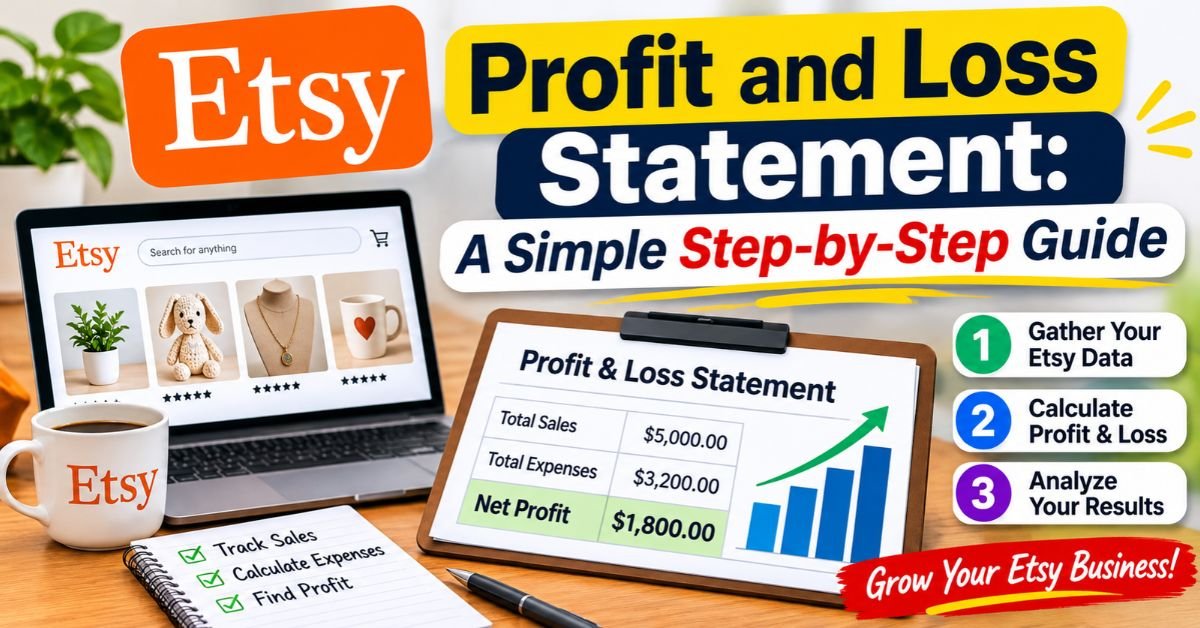
Quick Answer: An Etsy profit and loss statement (P&L) helps you understand how much money your shop actually earns after refunds, product costs, Etsy fees, shipping, advertising, and other business expenses. To create one, collect your monthly sales records, subtract refunds and the cost of goods sold, list your operating expenses, and calculate your net profit. Reviewing this report every month makes it easier to manage your shop and prepare for tax season.
Running an Etsy shop can be exciting. You make sales, receive orders, and watch your business grow. However, seeing money enter your bank account does not necessarily mean your shop is profitable.
For example, you might have $4,000 in monthly sales but spend a large portion of that money on materials, packaging, shipping, Etsy fees, and advertising. Without tracking those costs, it is difficult to know what you actually earned.
That is where an Etsy profit and loss statement becomes useful.
A profit and loss statement is one part of a well-organized bookkeeping system. To understand how to record Etsy sales, organize business expenses, save receipts, and keep your shop’s financial records in order, read our complete Etsy bookkeeping guide.
A P&L report gives you a clearer picture of your shop’s financial performance. It shows where your money comes from, where it goes, and how much remains after expenses.
In this guide, you will learn how to create a monthly Etsy P&L, which records to collect, how to calculate profit, and which common bookkeeping mistakes to avoid. You will also find a simple example that you can use when preparing your own report.
What Is an Etsy Profit and Loss Statement?
A profit and loss statement, also known as an income statement or P&L, summarizes your business income and expenses over a specific period.
You can prepare it monthly, quarterly, or annually. However, monthly reporting is often more useful for Etsy sellers because it helps identify rising costs before they become bigger problems.
A typical Etsy profit and loss statement includes three main financial categories:
1. Revenue
Revenue is the money your shop earns from selling products. It generally includes the price customers pay for your items and the shipping charges you collect.
2. Cost of Goods Sold (COGS)
Direct costs associated with your products are covered by COGS. Depending on your business, these costs may include raw materials, product components, and packaging used to prepare your products.
3. Operating Expenses
Operating expenses are the costs of keeping your shop running. Examples include Etsy fees, advertising, shipping labels, bookkeeping software, and eligible business subscriptions.
After subtracting refunds, product costs, and business expenses from the appropriate revenue figures, you can calculate your net profit.
This matters because sales and profit are not the same thing. A shop can generate thousands of dollars in sales while keeping very little money after expenses.
Why Your Etsy Payments Deposits Don’t Show Your Actual Profit
One common bookkeeping mistake is treating bank deposits from Etsy as business profit.
The problem is that your deposit reflects payment account activity, not the complete financial performance of your shop.
Etsy may deduct transaction fees, payment processing fees, refunds, shipping label purchases, and other charges before sending available funds to your bank account. Some money may also remain pending or be affected by account adjustments.
For instance, consider a shop that receives $3,610 from customers during a month.
The seller might also have:
- $150 in customer refunds
- $390 in Etsy fees
- $360 in shipping label purchases
- $900 in materials and packaging costs
- $190 in advertising and software expenses
Even though the shop generated $3,610 in revenue, its final profit is much lower.
There is another important detail: Etsy may collect and remit sales tax on a buyer’s behalf. That amount should not automatically be treated as the seller’s sales revenue. Keep it separate and follow the applicable tax rules for your location.
You can review Etsy’s official guide to managing your Payment account to understand how sales, refunds, fees, taxes, and shipping charges appear in your shop finances.
The main takeaway is simple: use your full sales and expense records to calculate profit rather than relying on bank deposits alone.
What Records Do You Need Before Creating an Etsy P&L?
Before working on your report, collect the records that show what happened financially during the period.
Missing numbers and inaccurate results can occur if you try to remember expenses weeks or months after the fact.
Start with these documents:
- Etsy monthly sales and payment statements
- Customer refund and cancellation records
- Receipts for materials and product supplies
- Packaging and shipping supply receipts
- Shipping label purchase records
- Etsy Ads and Offsite Ads expenses
- Etsy listing, transaction, and payment processing fees
- Software and subscription invoices
- Bank and credit card statements used for business purchases
Etsy provides downloadable monthly payment statements. You can generally find them through Shop Manager → Finances → Monthly statements.
Choose the relevant month and year, generate the CSV file, and download it when Etsy makes it available.
For detailed instructions, visit Etsy’s official guide on downloading and understanding monthly payment statements.
A separate bank account or card for your business can also make bookkeeping easier. It helps you distinguish shop purchases from personal spending.
How to Create an Etsy Profit and Loss Statement in 6 Steps
You do not need expensive accounting software to get started. A spreadsheet is enough for many small Etsy shops.
Follow these six steps to prepare your first report.
Step 1: Choose a Reporting Period
Start with one calendar month.
For example, you could prepare a report covering November 1 through November 30. Once that report is complete, repeat the process for December.
Monthly reports make it easier to spot changes in sales, advertising costs, and product expenses.
However, consistency matters. Use the same reporting period and accounting method when comparing results.
Step 2: Calculate Your Total Revenue
Your next task is to calculate how much your shop earned from sales during the selected period.
Include:
- Product sales
- Shipping charges paid by customers
Use the appropriate gross sales figures before deducting Etsy fees.
Keep buyer-paid sales tax collected and remitted by Etsy separate. If you are responsible for collecting and paying a particular tax yourself, its treatment may differ. Check the relevant tax rules before including it in your books.
For example:
| Revenue source | Amount |
| Product sales | $3,200 |
| Customer shipping payments | $410 |
| Total revenue | $3,610 |
Your total revenue is $3,610.
Step 3: Subtract Refunds and Calculate Your COGS
Refunds reduce the revenue you retain from customer orders.
Suppose you refunded customers $150 during the month.
Your calculation becomes:
$3,610 − $150 = $3,460
This gives you net revenue for the example.
Next, calculate your cost of goods sold (COGS).
For a handmade Etsy business, direct product costs might include:
- Fabric, leather, wood, or other raw materials
- Product components and ingredients
- Materials used to create finished products
- Packaging directly included in the product
For a reseller, COGS generally starts with the purchase cost of the products sold.
Consider this example:
| Product cost | Amount |
| Materials | $780 |
| Packaging | $120 |
| Total COGS | $900 |
Your gross profit is:
$3,460 − $900 = $2,560
Remember that inventory accounting can be more complicated than simply subtracting every material purchase in the month. Unsold inventory and certain production costs may receive different tax treatment. Check the applicable IRS guidance or speak with a qualified tax professional.
Step 4: Record Your Operating Expenses
Once you know your gross profit, list the other expenses involved in running your Etsy shop.
These costs can include:
Etsy fees: Listing fees, transaction fees, payment processing fees, and other applicable platform charges.
Shipping labels: Postage labels purchased through Etsy or another shipping provider.
Advertising: Etsy Ads, Offsite Ads, and other eligible marketing costs.
Software: Bookkeeping subscriptions, design tools, and other software used for your business.
Other business expenses: Additional ordinary and necessary costs that apply to your shop.
Keep expenses in separate categories whenever possible. This makes it easier to understand which parts of your business consume the most money.
Also, avoid counting the same purchase twice. For example, if you include product packaging in COGS, do not record that same cost again under operating expenses.
Step 5: Calculate Your Monthly Net Profit
Now bring the numbers together.
You already calculated a gross profit of $2,560.
Suppose your operating expenses are:
| Operating expense | Amount |
| Etsy fees | $390 |
| Shipping labels | $360 |
| Advertising | $150 |
| Software | $40 |
| Total operating expenses | $940 |
Subtract the expenses from gross profit:
$2,560 − $940 = $1,620
Your Etsy shop earned $1,620 in net profit for the example month.
If the result is negative, your shop had a net loss for that period. That does not automatically mean the business is failing. Instead, review the expenses and look for areas that need attention.
Step 6: Review Your Results Every Month
Preparing a P&L is only useful when you actually review the information.
Once your numbers are complete, ask yourself:
- Did my profit increase or decrease compared with the previous month?
- Which expenses increased the most?
- Are my shipping charges covering my postage costs?
- Which products generate the strongest profit?
- Am I spending too much on advertising?
These questions help you make more informed business decisions.
Save each monthly report in a clearly labeled folder. Over time, you will have a useful financial history of your shop.
Etsy Profit and Loss Statement: Complete Monthly Example
Here is the full example in one table.
All figures below are illustrative. They are not actual Etsy seller data.
| Financial category | Amount | Calculation |
| Product sales | $3,200 | Total product orders |
| Shipping paid by customers | $410 | Customer shipping payments |
| Total revenue | $3,610 | $3,200 + $410 |
| Refunds | -$150 | Refund records |
| Net revenue | $3,460 | $3,610 – $150 |
| Materials | $780 | Direct product costs |
| Packaging | $120 | Direct product packaging |
| Total COGS | $900 | $780 + $120 |
| Gross profit | $2,560 | $3,460 – $900 |
| Etsy fees | $390 | Platform charges |
| Shipping labels | $360 | Postage purchases |
| Advertising | $150 | Advertising costs |
| Software | $40 | Business subscriptions |
| Total operating expenses | $940 | $390 + $360 + $150 + $40 |
| Net profit | $1,620 | $2,560 – $940 |
The final figure is $1,620.
Using your profit margin, you can determine what percentage of your net revenue remains as profit.
Divide net profit by net revenue, then multiply by 100:
($1,620 ÷ $3,460) × 100 = 46.8%
In this example, the shop keeps approximately 47 cents in profit for every dollar of net revenue.
The shipping figures also deserve attention. Customers paid $410 for shipping, while the seller spent $360 on labels. That leaves a $50 difference before considering any other shipping-related costs.
This is exactly the kind of detail a monthly P&L helps you notice.
Common Etsy Bookkeeping Mistakes That Can Affect Your Profit
Even a simple spreadsheet can produce misleading results when you enter the wrong figures.
Watch out for these common mistakes:
| Common mistake | Why it causes problems | How to avoid it |
| Using bank deposits as revenue | Deposits may already reflect fees and other deductions | Start with complete sales records |
| Ignoring refunds | Overstates the revenue you retained | Record refunds in the correct period |
| Forgetting small expenses | Makes profit appear higher than it really is | Save receipts and log purchases regularly |
| Counting shipping income but ignoring postage | Distorts your shipping results | Track both customer payments and label costs |
| Counting an expense twice | Understates your profit | Use consistent expense categories |
| Mixing personal and business spending | Makes records harder to reconcile | Use a dedicated business account where possible |
| Waiting until year-end | Makes missing records harder to recover | Close your books every month |
One more point is important: bookkeeping categories do not automatically determine which expenses qualify for tax deductions.
Some expenses have special requirements. Equipment, home office costs, vehicle expenses, and unsold inventory may need additional consideration.
How Does an Etsy P&L Help With Taxes?
For U.S. sellers, a profit and loss statement can make tax preparation easier.
A sole proprietor generally reports business income and expenses on Schedule C, which is filed with the appropriate individual income tax return. The form is officially called Profit or Loss From Business.
Depending on the seller’s circumstances, self-employment income may also need to be reported using Schedule SE.
Your monthly P&L gives you an organized summary of the numbers that may be needed when preparing these forms. However, it does not replace a tax return or determine your final tax liability.
Keep these points in mind:
Accounting methods matter. Some businesses use the cash method, while others use the accrual method. The two methods can record income and expenses at different times. Your choice must follow the applicable tax rules.
Inventory requires attention. If you make or resell physical products, the cost of unsold inventory may need special treatment. Do not assume every purchase is automatically deductible when you buy it.
State and local rules can differ. Federal tax requirements are not the only rules that may apply. Sellers should also review applicable state and local tax obligations.
Keep supporting documents. Save receipts, invoices, order records, payment statements, and filed tax returns. The IRS explains recordkeeping requirements in its official Publication 583: Starting a Business and Keeping Records.
For more information, visit the IRS pages on Schedule C and the Self-Employed Individuals Tax Center.
If you are unsure about inventory, deductions, or your accounting method, ask a qualified CPA or enrolled agent for advice.
When Should You Hire a Tax Professional?
A basic spreadsheet works well for many small Etsy shops. Still, some situations deserve professional attention.
Consider speaking with a tax professional when:
- Your shop carries a substantial amount of unsold inventory.
- You purchase expensive equipment for business use.
- You claim business expenses involving your home.
- You sell to customers in multiple states.
- Your business reports repeated losses.
- You have business partners or a more complicated legal structure.
- You are unsure how to report income and expenses correctly.
A qualified professional can review your records and help you understand which tax rules apply to your circumstances.
Frequently Asked Questions
Do I need an Etsy profit and loss statement if my shop is small?
Yes. A P&L can help even when your shop makes only a few sales each month. It shows whether your products cover their costs and whether you are spending more than necessary.
Starting early also makes it easier to maintain accurate records as your business grows.
How often should I prepare an Etsy P&L?
Monthly reporting is a practical approach for most small sellers. It helps you identify changing expenses and compare your financial performance over time.
You can also combine your monthly reports to create a quarterly or annual summary.
Can I create an Etsy profit and loss statement in Excel?
Absolutely. Excel and Google Sheets are both suitable for basic bookkeeping.
You can create columns for revenue, refunds, COGS, operating expenses, gross profit, and net profit. As your order volume increases, bookkeeping software may help reduce manual data entry.
Does Etsy provide a profit and loss report?
Etsy provides financial information through its Payment account, activity summaries, and monthly statements. These records can help you prepare a P&L.
However, you may still need to organize expenses from external purchases, materials, software, and other business activities to complete your report.
Conclusion: Keep Your Etsy Shop Profitable With Monthly Bookkeeping
An Etsy profit and loss statement gives you a much clearer understanding of your business than sales totals or bank deposits alone.
By tracking revenue, refunds, product costs, platform fees, shipping, advertising, and other expenses, you can see how much your shop actually earns.
You do not need a complicated accounting system to get started. A simple spreadsheet and accurate monthly records can provide valuable insight into your shop’s performance.
Make a habit of reviewing your P&L every month. Over time, you will understand your costs better, identify profitable products, and make smarter decisions about pricing and business growth.
Your next step: Open a spreadsheet and enter last month’s total sales, refunds, Etsy fees, and business expenses. Once those figures are in place, you can start building a reliable picture of your Etsy shop’s financial health.
Disclaimer
This article provides general educational information about bookkeeping and U.S. federal tax topics. It is not tax, legal, or accounting advice. Individual tax obligations depend on business structure, location, accounting method, and other circumstances. Consult a qualified professional for advice about your situation.
Author Bio
About Team Tax Nookly
Team Tax Nookly is a dedicated group of bookkeeping professionals and e-commerce tax specialists focused exclusively on the Etsy marketplace. We simplify complex tax regulations and provide actionable financial strategies to help Etsy sellers manage their businesses with complete confidence.






1 thought on “Etsy Profit and Loss Statement: A Simple Step-by-Step Guide”