Etsy Tax Form Download: The Ultimate Guide for Etsy Sellers (2026)
October 2, 2026
Written By team taxnookly
Our goal is to provide reliable, helpful, and up-to-date content based on practical tax and bookkeeping principles.
Tax season stressing you out? You’re not alone. In this guide, our team at Tax Nookly will show you step-by-step how to download your Etsy tax form, fix common errors, and match your forms to your sales. There is no jargon and no filler. Instead, you get the exact clicks, the key dates, and the official sources.
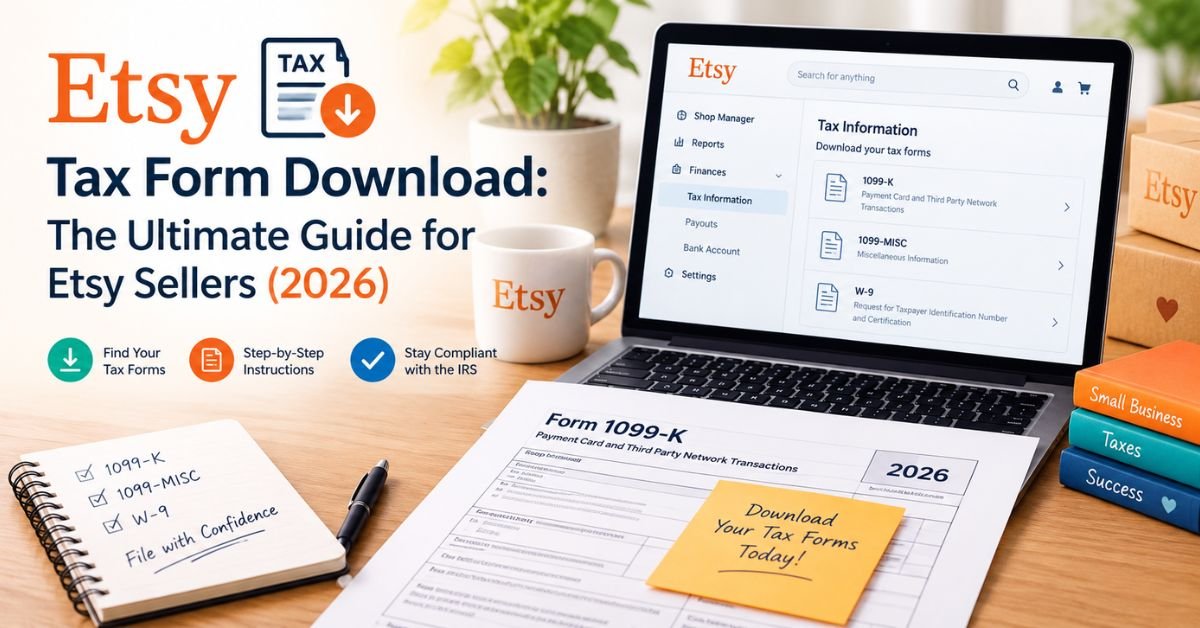
Sign in to Etsy.com and open Shop Manager > Finances > Legal and tax information.
Pick the tax year, and then click Download 1099-K.
Next, download your monthly statements and payment CSV from the same Finances area.
Keep in mind that Etsy only issues a 1099-K when you pass the IRS threshold. However, you must report all Etsy income even if you get no form. (Etsy Help Center)
Key Facts at a Glance
Question
Answer
Federal 1099-K threshold
More than $20,000 and more than 200 transactions
Where to download it
Shop Manager > Finances > Legal and tax information
When it arrives
By the end of January
No form received?
You still report all Etsy income
Who needs this guide?
New sellers, established shops, international sellers, tax preparers
Which Etsy Tax Forms Exist?
Each Etsy tax document does a different job, so know which one you need before you download.
Etsy 1099-K
The 1099-K reports your gross payment volume to the IRS. Recently, the One Big Beautiful Bill Act restored the older threshold. As a result, Etsy now issues a federal 1099-K only when your gross payments exceed $20,000 and your transactions exceed 200. You must meet both tests. (IRS announcement IR-2025-107)
Some states set lower limits, so you may still get a state form. In addition, Etsy combines sales from all shops that share one taxpayer ID. (Etsy Seller Handbook)
For a complete explanation of how Etsy 1099-K works, what it reports, and how sellers should understand the form, see our Etsy 1099-K Guide.
1099-NEC and 1099-MISC
Etsy reports your shop sales on the 1099-K, not on these forms. You may need them yourself, though. For example, if you pay a contractor $2,000 or more for services in 2026, you generally file a 1099-NEC. This threshold rose from $600 for payments made after December 31, 2025. Also, collect a W-9 from every contractor before you pay them. (IRS Form 1099-NEC)
Statements, CSVs, and Other Records
These files are not IRS forms, but you need them to file your return.
Monthly statements: These show Etsy fees, ads, and shipping labels.
Payment account CSV: This lists sales, refunds, and deposits.
Sales tax records: These show tax Etsy collected for you. Your 1099-K excludes these amounts.
VAT invoices: Sellers in VAT regions download these for Etsy fees.
US vs. International Sellers
US sellers above the threshold receive a 1099-K. In contrast, Etsy states that sellers outside the US who do not receive USD payments will not get one. Still, international sellers report income under local law. (Etsy Help Center)
Document
Who Gets It
Where to Find It
1099-K
US sellers above federal or state thresholds
Finances > Legal and tax information
Monthly statements
All sellers
Finances > Monthly statements
Payment account CSV
All sellers
Finances > Payment account
VAT invoice
Sellers in VAT regions
Shop Manager finance section
How to Download Your Etsy Tax Form Step by Step
Etsy renames menus from time to time. If a label looks different, use the Shop Manager search bar.
Log in to the right account. Sign in at Etsy.com, click your profile icon, and then click Shop Manager. Use the account that owns the shop, because a separate buyer account hides your tax documents.
Check your taxpayer details. Open Finances > Legal and tax information. Then confirm your taxpayer name, ID, and address. A wrong detail creates a wrong form, so fix it before Etsy files.
Download the 1099-K. On the same page, select the tax year and click Download 1099-K. After that, stay on the page until the download finishes.
Download monthly statements. Open Monthly statements, choose a month, and click Download CSV. Repeat this for all twelve months.
Export payment history. Finally, open Payment account and export the full year as a CSV.
To stay organized, name each file clearly, such as “Etsy-Statement-2026-03.csv.” Then save everything in one backed-up folder.
Need an older form? Use the tax year dropdown on the Legal and tax information page. If the form is missing, confirm the shop and the year, and then ask Etsy Support for a copy.
Using a phone? Desktop works best. On mobile, open Etsy.com in your browser and choose the desktop site option, because the app may hide some finance pages.
When Etsy Releases Tax Forms
Etsy makes the 1099-K available in Shop Manager as soon as it is ready. Alternatively, Etsy mails a copy postmarked by January 31 of the filing year. (Etsy Seller Handbook)
Timing
What Happens
December
Check your sales total and taxpayer details
Late January
Etsy typically releases 1099-K forms
February
Contact Etsy if your eligible form is missing
Mid-April
Federal filing deadline for individual returns
Because dates can shift, confirm the exact deadline on IRS.gov each year.
Waiting for your form? You do not need it to get started. First, download your statements and payment CSV. Then total your gross sales, refunds, and fees. Finally, build a draft return and compare it to the 1099-K when it arrives.
Troubleshooting
Problem
Fix
You cannot see your 1099-K
Check your sales count on Legal and tax information, change the tax year dropdown, and confirm you use the shop account
Still missing after mid-February
Message Etsy Support with your shop name and tax year
Wrong name, address, or TIN
Update your details, and then request a corrected form from Etsy Support
Download fails or PDF won’t open
Wait a few minutes, clear your cache, switch browsers, allow pop-ups for Etsy.com, or switch to desktop
No form because you fell below the threshold? No form does not mean no tax. Use your payment CSV and monthly statements to total gross sales, subtract refunds, and list fees as expenses. In addition, check your state’s rules, since some states use lower limits. (IRS Form 1099-K FAQs)
How to Reconcile Etsy Downloads with Your Records
Use this three-pass method:
Pass 1: Download every form, statement, and CSV.
Pass 2: Reconcile the 1099-K to your CSV reports and bank deposits.
Pass 3: Document every discrepancy, and then file.
Match Gross Receipts to Your 1099-K
Start with box 1a on your 1099-K, and then total the same year in your payment CSV. Your 1099-K will not match your deposits or profit, because it reports gross volume only. It does not subtract fees, refunds, or chargebacks. (Etsy Help Center)
Expect these exclusions:
Sales you did not process through Etsy Payments, such as in-person card sales.
Sales tax that Etsy collected and remitted for you.
Sales from a shop with a different taxpayer ID.
Handle Refunds, Fees, and Shipping
Item
Source
Tax Treatment
Gross sales
1099-K, payment CSV
Report as income
Refunds
Payment CSV
Reduce income when you issue them
Etsy fees
Monthly statements
Deduct as expenses
Shipping labels
Monthly statements
Deduct as shipping costs
Etsy Ads
Monthly statements
Deduct as advertising
Report gross income first, and then list each expense on its own line. Never subtract fees from income before you report it.
Check Against Bank Deposits
Total your payment CSV for the year.
Next, add all Etsy deposits in your bank statements.
Then subtract the fees, ads, and shipping that Etsy withheld.
Finally, confirm that the math connects.
A December sale can reach your bank in January, and this timing gap explains many small differences. For each mismatch, log the amount, the source, the cause, and your fix. Also save screenshots and Etsy messages with your tax records.
Tax Reporting for Etsy Sellers
Schedule C and Schedule SE
Most US sellers report profit or loss on Schedule C, where they list gross receipts, cost of goods sold, and expenses. Your 1099-K total goes into gross receipts, adjusted for anything Etsy did not include.
You also file Schedule SE when your net self-employment earnings reach $400 or more. This form calculates self-employment tax at 15.3%, up to the Social Security wage base limit. (IRS Schedule SE instructions)
Deductions Sellers Commonly Miss
Etsy listing, transaction, and processing fees
Materials and supplies
Packaging and postage
Etsy Ads and other advertising
Bookkeeping, design, and photo software
Home office space you use regularly and exclusively for business
Equipment such as cameras, printers, and craft machines
Business mileage
To back up each deduction, keep receipts and mileage logs. See the Schedule C instructions for the full rules.
Quarterly Estimated Taxes
Etsy does not withhold tax from your payouts. Therefore, most sellers pay estimated tax with Form 1040-ES, generally when they expect to owe $1,000 or more. (IRS estimated taxes)
Period
Typical Due Date
January to March
April 15
April to May
June 15
June to August
September 15
September to December
January 15
Confirm exact dates in the current Form 1040-ES. To prepare, set aside part of every payout in a separate savings account.
International Sellers
International sellers follow local law. For your records, use your payment CSV and monthly statements. Depending on your country, VAT or GST may apply to your sales or Etsy fees, so download VAT invoices when they apply. For cross-border rules, consult a local accountant.
Frequently Asked Questions
Where do I download my Etsy tax form? Go to Shop Manager > Finances > Legal and tax information. Then choose the tax year and click Download 1099-K.
Is Etsy required to send every seller a 1099-K? No. Etsy issues one only when you exceed $20,000 and 200 transactions, or when you meet a lower state threshold.
When does Etsy release the 1099-K? Etsy typically releases forms by the end of January, and it emails you when yours is ready.
Why does my 1099-K differ from my deposits? The form shows gross sales, whereas deposits reflect fees, refunds, and holds.
Can I get my 1099-K by mail? Yes. To receive a paper copy, turn off paperless delivery in your Etsy 1099-K settings.
What if my form has wrong information? First, update your details. Then ask Etsy Support for a corrected form.
Do international sellers get a 1099-K? Etsy states that sellers outside the US who do not receive USD payments will not get one.
Conclusion and Checklist
An Etsy tax form download takes only minutes when you know the path: Shop Manager > Finances > Legal and tax information. First, download your 1099-K, statements, and payment CSV. Then reconcile them, log every gap, and report all income.
[ ] Confirm your taxpayer information.
[ ] Download your 1099-K, if Etsy issued one.
[ ] Download all twelve monthly statements.
[ ] Export your payment account CSV.
[ ] Reconcile the 1099-K to your CSV and bank deposits.
This article gives general information, not tax, legal, or financial advice. Tax rules change, so consult a licensed CPA or Enrolled Agent about your situation.
Author Bio
About Team Tax Nookly
Team Tax Nookly is a dedicated group of bookkeeping professionals and e-commerce tax specialists focused exclusively on the Etsy marketplace. We simplify complex tax regulations and provide actionable financial strategies to help Etsy sellers manage their businesses with complete confidence.









1 thought on “Etsy Tax Form Download: The Ultimate Guide for Etsy Sellers (2026)”