Go to Shop Manager > Settings > Legal and tax information.
Click Download 1099-K under the relevant tax year.
Note: Etsy issues forms by January 31 only to sellers who meet federal or state sales thresholds ($20,000+ gross sales and 200+ transactions for 2025 and later).
Etsy shop owners often dread tax season. You craft your products, ship your orders, and now you need one crucial document to file your tax return. In this guide, our team at Tax Nookly will show you step-by-step how to find your Etsy 1099-K form quickly, understand your numbers, fix missing documents, and file your taxes with total confidence. For a complete overview of thresholds, reporting rules, and tax treatment, see our [complete Etsy 1099-K guide].
The IRS uses Form 1099-K to track income processed through third-party payment platforms. Because Etsy Payments processes customer credit card purchases, federal tax law requires Etsy to report these transaction totals directly to the IRS.
Your Etsy 1099-K contains three key details:
Gross Sales Total: The total dollar amount buyers paid you through Etsy Payments during the calendar year.
Monthly Breakdown: A line-by-line summary of gross sales for each month.
Taxpayer Identification: Your official business name, primary address, and Social Security Number (SSN) or Employer Identification Number (EIN).
Total Gross Sales (What Buyers Paid)
– Etsy Selling Fees
– Refunded Orders
– Shipping Label Costs
– Business Expenses
—————————————–
= Net Taxable Profit (What You Report)
Etsy reports your gross sales total, which includes shipping charges, gift wrap, and sales tax collected in certain states. Etsy does not deduct merchant fees, listing fees, or buyer refunds on this form.
Form 1099-K reflects gross sales, not net profit or taxes owed. You must deduct your eligible business expenses on your tax return to determine your actual taxable income. Think of this form as an income summary report rather than a bill.
Who Qualifies for an Etsy 1099-K Form?
Etsy issues Form 1099-K only when your shop sales meet specific legal reporting thresholds established by federal and state regulations.
Tax Year
Federal Gross Sales Limit
Federal Transaction Limit
2024
$5,000 or more
No minimum count
2025 and Later
More than $20,000
More than 200 sales
Congress passed the One Big Beautiful Bill Act on July 4, 2025, which permanently restored the federal reporting threshold to $20,000 in gross sales and 200 transactions.
Crucial Reporting Rules to Remember:
Combined Shop Totals: Etsy aggregates sales across all storefronts that share the same SSN or EIN. If your combined shop total crosses the threshold, Etsy issues one combined 1099-K form.
State Specific Limits: Individual state tax authorities (such as Massachusetts, Vermont, or Maryland) maintain significantly lower reporting thresholds—sometimes as low as $600. Check your local state revenue agency guidelines on the directory.
Payment Processor Restrictions: Etsy counts only payments processed through Etsy Payments. Standalone PayPal sales do not appear on your Etsy 1099-K form; PayPal issues a separate form if you qualify on their system.
Step-by-Step: How to Find Your Etsy 1099-K Form
Follow these direct steps on a desktop browser to download your official PDF document.
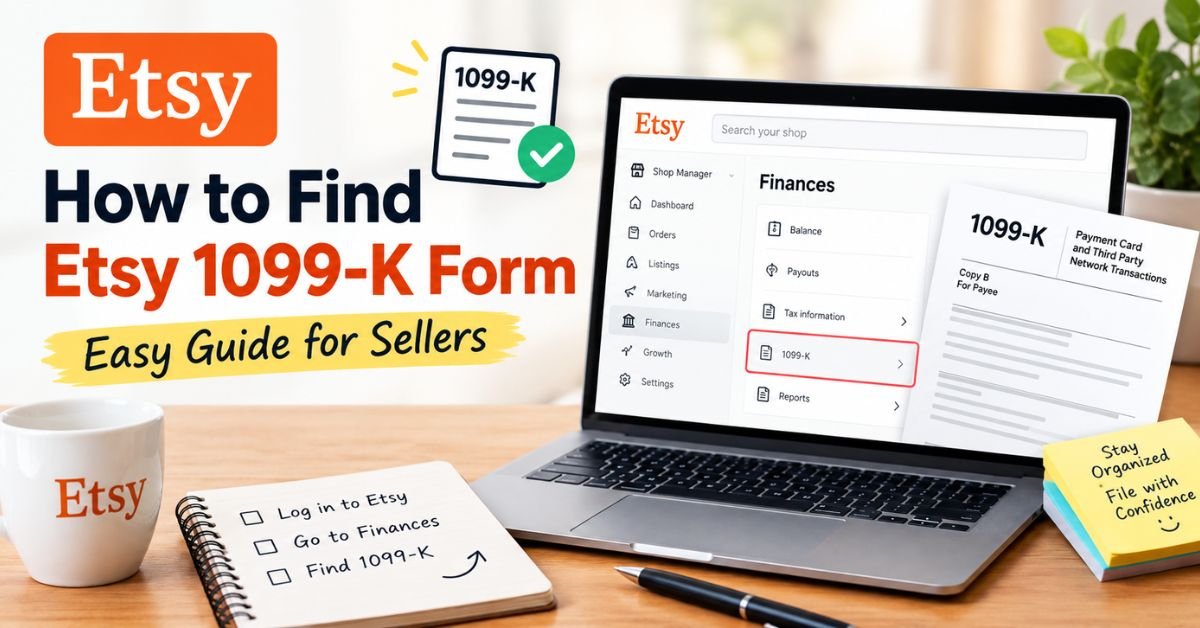
Navigate to Etsy.com and log into your seller account.
Click Shop Manager in the top-right navigation header.
Select Settings from the left-side main dashboard menu.
Click Legal and tax information.
Locate the Tax Documents section and click Download 1099-K.
Save the downloaded PDF file in a secure computer folder and back up a secondary copy on a secure cloud storage drive.
Electronic vs. Paper Mail Delivery Options
Etsy offers two official methods to deliver your legal tax documents: digital download or physical postal mail.
Navigate to Finances, then select 1099-K Settings.
Toggle the Paperless delivery switch to Off.
Etsy mails paper forms by late January. Verify your physical mailing address inside the Legal and tax information tab before December 31 to prevent address delivery failures.
Key Tax Dates and Delivery Deadlines
Mark these essential calendar dates to stay compliant throughout the tax year:
Date
Key Event / Milestone
January 1 – December 31
Etsy records your annual gross sales transactions.
January 31
Etsy publishes digital 1099-K forms in your seller dashboard.
Mid-February
Physical paper 1099-K forms arrive via postal mail.
April 15
Federal and state income tax filing deadline for individuals.
October 15
Extended tax filing deadline for sellers who filed an official extension.
If today is late September 2026 and you still need your 2025 tax documents, download your PDF form immediately or contact Etsy Support to retrieve past statements.
How to Calculate Your Sales Totals Before Form 1099-K Arrives
You do not need to wait for January 31 to track your gross annual income. You can calculate your numbers using two simple built-in tools.
Method 1: Check the Taxpayer ID Page
Go to Shop Manager > Settings > Legal and tax information.
View your real-time Etsy Payments gross sales and total order count.
Method 2: Download Your Etsy Payments CSV
Open Shop Manager and select Settings.
Click Options, then open the Download Data tab.
Select Etsy Payments Sales from the CSV Type drop-down menu.
Select the full year date range and click Download CSV.
Open the CSV file in Excel or Google Sheets and sum the Gross column.
Comparing Gross Sales vs. Actual Net Profit
Etsy sellers often express surprise when their Form 1099-K displays a significantly higher dollar amount than their bank deposits. The breakdown below explains how these accounting terms differ:
Accounting Term
Includes Buyer Taxes?
Includes Shipping Paid?
Subtracts Etsy Fees?
Form 1099-K Shows This?
Gross Sales
Yes
Yes
No
YES
Net Revenue
No
No
Yes
NO
Bank Deposits
No
No
Yes
NO
Net Taxable Profit
No
No
Yes
NO
To reconcile your totals, subtract your transaction fees, listing fees, seller marketing costs, shipping labels, and customer refunds from the gross figure on your 1099-K form.
Troubleshooting: What to Do If You Cannot Find Your 1099-K
If you navigate to your dashboard and find no tax documents available, run through this troubleshooting checklist:
Verify Sales Limits: Confirm that your total Etsy Payments sales crossed the $20,000 threshold and 200 transaction mark (or your specific state threshold).
Review Additional Shops: If you operate multiple Etsy stores, confirm that you calculated combined income across all shops sharing your legal SSN or EIN.
Inspect Account Details: Ensure that your taxpayer legal name and Tax Identification Number match IRS records exactly inside your seller portal.
Check Postal Mail: Search your physical mail stack if you disabled electronic paperless delivery.
Important IRS Rule: A missing Form 1099-K does not relieve your legal obligation to pay taxes. You must report all business revenue to the IRS regardless of whether Etsy issues a tax form. Use your CSV accounting files to report accurate income numbers.
How to Report Etsy 1099-K Income When Filing Taxes
When filing your annual tax return (typically using Schedule C for sole proprietors), follow these steps:
Enter Gross Income: Report the full gross figure from Box 1a of your Form 1099-K as your primary gross receipts.
Itemize Business Expenses: Deduct your deductible costs, including Etsy platform fees, shipping supplies, advertising spend, inventory materials, and home office costs.
Calculate Net Self-Employment Income: Subtract total allowable deductions from gross sales to determine net taxable profit.
Retain Backup Documentation: Keep digital copies of your 1099-K form, monthly Etsy CSV files, supplier receipts, and bank statements for at least three to seven years.
Best Practices to Prepare Your Shop for Tax Season
Implement these ongoing financial habits to streamline your year-end reporting:
Schedule Quarterly Audits: Review your Legal and tax information portal every three months to monitor annual sales progress.
Store Monthly CSV Statements: Download and save your Etsy Payments CSV files at the end of every month.
Maintain Separate Accounts: Open a dedicated small-business checking account to isolate business revenue from personal transactions.
Set Aside Tax Reserves: Reserve 25% to 30% of net monthly profits in a separate savings account to cover federal self-employment taxes and quarterly estimated tax payments.
Frequently Asked Questions
1. Where do I find my Etsy 1099-K form on the mobile app?
Etsy requires sellers to access official tax documents via a full desktop web browser. Log into Etsy.com on your mobile or desktop browser, open Shop Manager, click Settings, and select Legal and tax information to download your document.
2. Does Form 1099-K include state sales tax collected by Etsy?
Yes. If Etsy automatically collects and remits state sales tax on your transactions under Marketplace Facilitator laws, those amounts still appear within your Box 1a gross sales total. You deduct those taxes as a business expense item on your tax tax schedule.
3. What should I do if my name or SSN is wrong on my 1099-K?
Update your legal taxpayer information immediately inside Shop Manager > Settings > Legal and tax information. After updating your record, submit a support request to Etsy Help asking them to issue a corrected Form 1099-K with updated information.
4. Do non-US Etsy sellers receive Form 1099-K?
No. Etsy issues Form 1099-K specifically to US taxpayers or resident aliens. International sellers complete Form W-8BEN to certify non-US status and clear US tax withholding obligations.
Team Tax Nookly prepares this guide strictly for general informational and educational purposes. We do not provide formal tax, accounting, or legal advice. Federal and state tax codes change frequently. Always consult a qualified Certified Public Accountant (CPA) or licensed tax professional regarding your specific business tax situation.
Author Bio
About Team Tax Nookly
Team Tax Nookly is a dedicated group of bookkeeping professionals and e-commerce tax specialists focused exclusively on the Etsy marketplace. We simplify complex tax regulations and provide actionable financial strategies to help Etsy sellers manage their businesses with complete confidence.









1 thought on “How to Find Etsy 1099-K Form: Easy Guide for Sellers”