Our goal is to provide reliable, helpful, and up-to-date content based on practical tax and bookkeeping principles.
Tax season brings a lot of stress for Etsy sellers. You open your 1099-K form, check the numbers, and something feels off. Maybe the total looks way too high. Maybe your name or tax ID has a typo. You are not alone. Many sellers face this exact problem every year.
Our team at Tax Nookly will walk you through what to do if your Etsy 1099-K is wrong. We cover why the error happens, how to check your real numbers, and the steps you need to fix it before the IRS deadline hits.
A 1099-K form reports the total payments you received through a third-party processor. Upon reaching certain sales thresholds, Etsy sends this form to the IRS and to you. Profit is not calculated by the form. It only shows your gross sales for the year, before you subtract fees, refunds, or expenses.
Etsy issues a 1099-K if you meet the federal threshold or your state’s threshold for the tax year. Receiving a 1099-K form doesn’t necessarily mean you’ll owe taxes on your Etsy sales, since the form simply reports the total gross sales processed through Etsy Payments. Many sellers panic when they see a large number in Box 1a, but that number does not represent your taxable income. This is just your total sales before deductions.
Keep this form for your records. When you file your Schedule C, you will use it to double-check your bookkeeping numbers. For a complete overview of how Etsy 1099-K works, including thresholds, reporting rules, and taxes, see our Etsy 1099-K Guide 2026.
Why Does an Etsy 1099-K Show Wrong Numbers?
Several common issues cause an Etsy 1099-K to be wrong. Knowing the cause helps you fix the problem faster.
1. Refunds Are Not Subtracted
This is the most common issue sellers report. Etsy’s gross sales total often does not subtract refunds you gave to customers. Etsy’s totals are not reduced by order refunds, which explains why the form’s monthly numbers can differ from your own bookkeeping records. If you issued refunds during the year, your 1099-K may show a higher number than your true gross sales.
2. Wrong Taxpayer Information
A mismatched name, SSN, ITIN, or EIN causes the IRS to flag your form. To confirm your 1099-K details are correct, check that you’ve entered a valid SSN, ITIN, or EIN, a matching taxpayer name, and the right mailing address on your Legal and Tax Information page. This error can be triggered even by a small typo.
3. Duplicate or Mixed Income
If you also sell through other platforms like PayPal or Shopify, you might receive more than one 1099-K for the same sale. This creates confusion and can make it look like you earned more than you actually did.
4. Wrong Tax Year Downloaded
Sometimes the error isn’t in the form itself. Downloading a 1099-K from the wrong tax year gives you incorrect information for your tax reports, so always double-check the year selected before you review the numbers.
5. Sales From a Closed or Transferred Shop
If you closed your shop mid-year or transferred ownership, Etsy sometimes reports numbers that don’t match your actual activity for that period.
Here’s how to check if your Etsy 1099-K numbers are correct
Before you contact Etsy, verify the numbers yourself. This step saves time and gives you proof if you need to dispute anything.
Log in to Etsy and go to Shop Manager.
Click Settings, then Options, then the Download Data tab.
Choose Etsy Payments as your CSV type.
Select the full year and leave the month field blank.
Click Download CSV to save the file.
Open the file and check Column E (Gross). This column should match Box 1a on your 1099-K.
Compare your monthly totals with your annual total.
You can also use this CSV to reconcile your monthly and annual sales totals against the numbers shown on your 1099-K form. If the numbers match, your form is likely correct, even if the total feels high. If they don’t match, move to the next section.
Quick Reference Table: Common Mismatches
Issue
What You’ll See
Likely Cause
Total too high
1099-K total higher than your sales records
Refunds not subtracted
Wrong name or ID
IRS notice or rejected e-file
Incorrect taxpayer info on file
Two forms, same sales
Duplicate income reported
Multiple payment processors
Numbers don’t match at all
Random or unexplained difference
Wrong tax year downloaded
No form received
Missing 1099-K despite meeting threshold
Delayed processing or address error
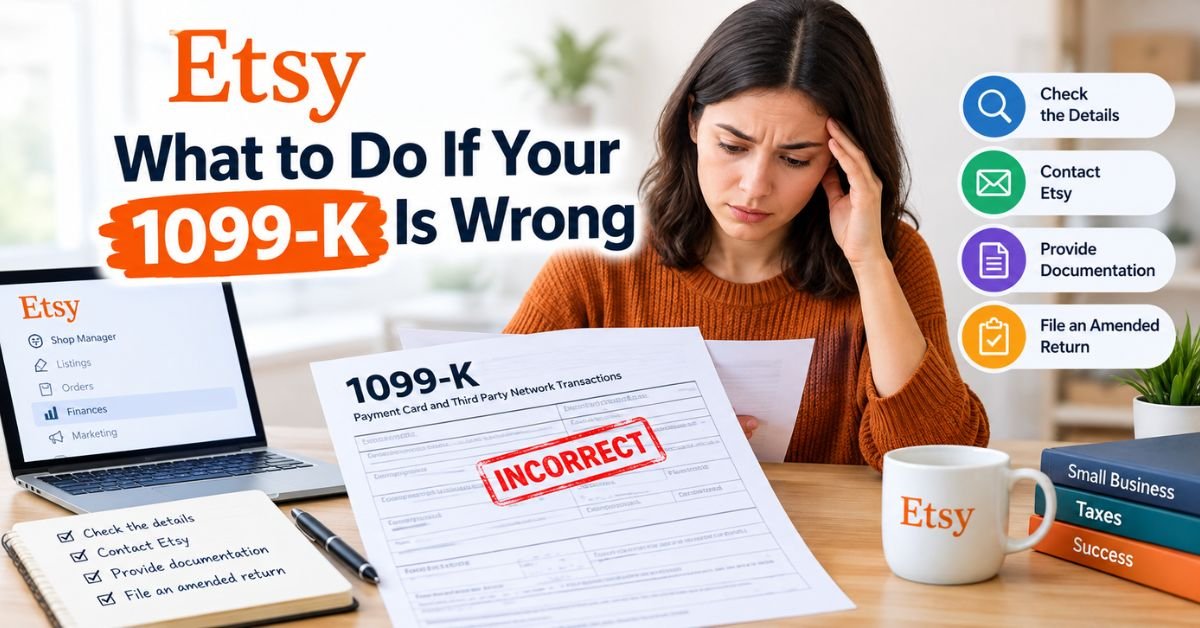
Steps to Fix an Incorrect Etsy 1099-K
Once you confirm the Etsy 1099-K is wrong, follow these steps in order.
Step 1: Update Your Taxpayer Information
Go to Shop Manager, then Finances, then Legal and Tax Information. Check your name, SSN or EIN, and address. Fix any typos right away. This step alone solves many taxpayer-ID errors.
Step 2: Contact Etsy Support
If you believe your 1099 figures are wrong, you need to contact Etsy directly to report the issue. Explain the exact discrepancy and include your CSV data as proof. Ask for a corrected 1099-K. Keep a written record of this conversation, including dates and names of anyone you spoke with.
Step 3: Request a Timeline
Ask Etsy how long the correction will take. Corrected forms don’t always arrive before the tax deadline, so plan ahead. If you’re close to the filing date, move to Step 4.
Step 4: File With Your Correct Numbers
If Etsy cannot issue a corrected form in time, you should file your taxes using your correct numbers and include an explanation, or use Schedule 1 to back out the error amount, so the IRS system does not flag you for under-reporting.
The IRS backs up this approach for any 1099-K received in error. If a corrected form cannot be obtained, taxpayers should still report their correct information on Schedule 1, using the additional income and adjustment lines built for this exact situation. This method keeps your net income accurate while still showing the IRS why the numbers differ from the original form.
Step 5: Deduct Refunds and Fees Properly
Even after your 1099-K is fixed, you still need to account for refunds and Etsy fees on your Schedule C. Report the full 1099-K amount as gross income, then list refunds under “Returns and Allowances” and Etsy fees under business expenses. This keeps your reported income accurate without waiting on Etsy’s correction.
What If You Never Received a 1099-K?
Some sellers face the opposite problem. They meet the threshold but never get a form.
Check your sales data first. Confirm you actually crossed the federal or state threshold.
Contact Etsy Support and ask about the status of your form.
Report your income anyway. Whether or not you receive the 1099-K form, you must report all your income.
Keep detailed records of every sale, in case you need proof later.
A missing form never removes your duty to report income. The IRS expects accurate reporting regardless of paperwork delays.
Federal and State Thresholds That Trigger a 1099-K
Etsy follows two sets of rules when deciding who gets a 1099-K: federal rules and state rules. The federal threshold has changed several times in recent years, so many sellers get confused about which number applies to them.
Several states set their own, often lower, thresholds. This means you might receive a 1099-K from Etsy even if you don’t meet the federal limit. Always check your state’s Department of Revenue website for the exact number that applies to you. This detail explains why two sellers with similar sales totals sometimes get different tax forms.
Threshold Type
What It Means for You
Federal threshold
Sets the baseline number for most US sellers
State threshold
Can be lower than the federal number in many states
Combined effect
Despite not meeting the federal threshold, you may receive a 1099-K under state rules
Understanding these thresholds helps you know why you got a 1099-K in the first place. It also helps you predict whether you’ll get one next year, so you can plan your bookkeeping ahead of time.
How an IRS Notice Connects to Your 1099-K
The IRS runs an automated matching system. It compares the income you report on your tax return to the 1099-K totals that Etsy sends in. If the two numbers don’t match, the system flags your return. This often leads to a letter called a CP2000 notice, which asks you to explain the difference.
Getting this letter doesn’t mean you did anything wrong. It simply means the numbers didn’t line up. If you already fixed your Etsy 1099-K error and filed with your correct numbers, you have a paper trail ready to respond. Keep your CSV downloads, your written communication with Etsy Support, and copies of your tax forms in one folder. This makes any IRS letter easy to handle instead of stressful.
Why This Matters for Your Taxes
An incorrect 1099-K can create two serious problems. First, it can make the IRS think you earned more than you actually did, which raises your tax bill. Second, it can trigger an audit flag if your reported income doesn’t match what Etsy sent to the IRS.
Fixing the error protects you from both problems. It also keeps your bookkeeping records clean, which matters if you ever face an IRS notice or need to prove your numbers later.
Etsy 1099-K Error Checklist
Use this simple checklist before you file:
[ ] Downloaded the correct tax year form
[ ] Compared Box 1a to your Etsy Payments CSV
[ ] Checked your taxpayer name, SSN/EIN, and address
[ ] Contacted Etsy Support if numbers don’t match
[ ] Requested a corrected 1099-K in writing
[ ] Prepared Schedule 1 backup numbers in case correction is delayed
[ ] Deducted refunds and fees on Schedule C
FAQs
1. Can Etsy send me a corrected 1099-K?
Yes. Etsy can issue a corrected form once you report the error and provide proof, such as your Etsy Payments CSV. As soon as you notice a mistake, contact Support.
2. What if Etsy doesn’t fix my 1099-K before the tax deadline?
File your taxes with your correct numbers. Use Schedule 1 to report the difference between the wrong 1099-K amount and your true income. This keeps your return accurate even without a corrected form.
3. Does my 1099-K total include refunds I gave customers?
Yes, in most cases. Etsy’s gross sales total usually does not subtract refunds. These need to be deducted separately on Schedule C under “Returns and Allowances.”
4. What happens if I ignore a wrong 1099-K?
Ignoring it risks an IRS mismatch notice, since the agency compares your tax return to the 1099-K Etsy filed. This can lead to extra taxes, penalties, or an audit.
5. Do I still owe taxes if I never received a 1099-K?
Yes. You must report all Etsy income regardless of whether you received a 1099-K. The form is just a reporting document, not the source of your tax duty.
Conclusion
A wrong Etsy 1099-K feels stressful, but the fix is straightforward once you know the steps. Compare your real numbers with your Etsy Payments CSV. Update your taxpayer information if needed. Contact Etsy Support and ask for a corrected form in writing. If time runs short, file with your correct numbers and use Schedule 1 to explain the difference.
Our team at Tax Nookly built this guide to help Etsy sellers handle tax season with less stress. Bookmark this page and come back to it every time a new 1099-K shows up in your inbox.
This article is for general educational purposes only and does not replace advice from a licensed tax professional or accountant. Tax rules change often, so consult a qualified expert for guidance specific to your situation.
Author Bio
About Team Tax Nookly
Team Tax Nookly is a dedicated group of bookkeeping professionals and e-commerce tax specialists focused exclusively on the Etsy marketplace. We simplify complex tax regulations and provide actionable financial strategies to help Etsy sellers manage their businesses with complete confidence.









1 thought on “What to Do If Your Etsy 1099-K Is Wrong”